How to build a professional portfolio

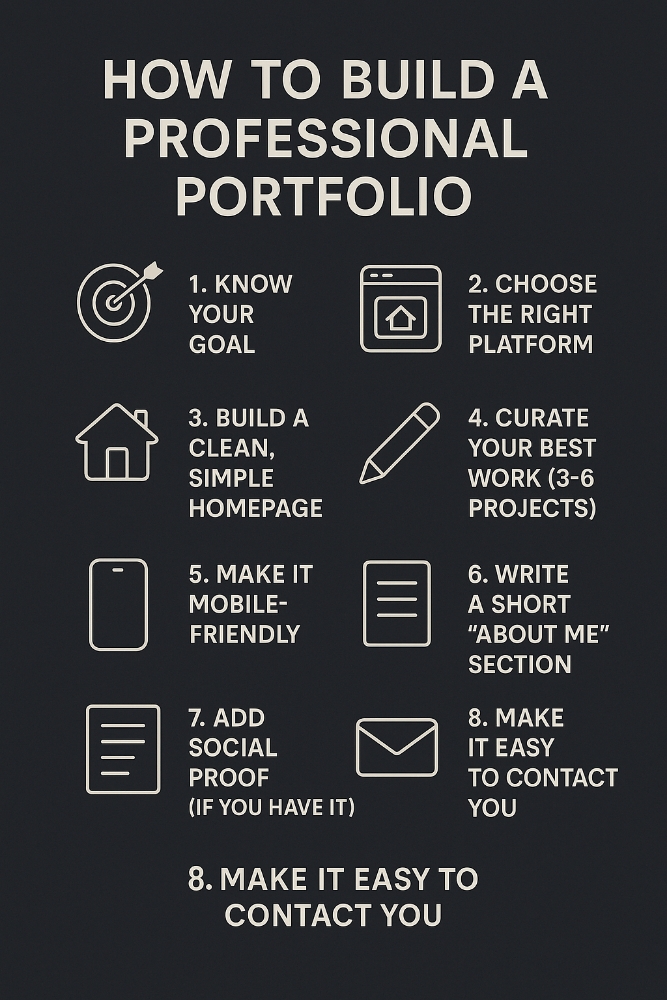 🧵 How to Build a Professional Portfolio That Gets You Noticed (Even If You’re Just Starting Out) 🔥
Whether you’re a designer, developer, writer, or marketer, your portfolio is your digital reputation.
It can land you jobs, clients, and opportunities—if it's done right.
Here’s a step-by-step guide 🧵
👇
---
1/ 🎯 Step One: Know WHY You're Creating It
Before you build anything, ask:
Do I want a full-time job?
Do I want freelance clients?
Am I trying to build a personal brand?
👉 Your portfolio should reflect that purpose.
It’s not a gallery—it’s a tool.
---
2/ 🧱 Step Two: Choose the Right Platform
You don’t need to code a website from scratch (unless you want to).
Here are simple tools by type:
Designers: Notion, Figma, Webflow, Behance
Writers: Notion, Medium, Ghost, Substack
Developers: GitHub Pages, Next.js, Framer, Vercel
Marketers: Notion, WordPress, Carrd, Webflow
Pick a platform you can easily maintain.
---
3/ 🏠 Step Three: Build a Clean, Simple Homepage
Your homepage should answer 3 things in 5 seconds:
✅ Who are you?
✅ What do you do?
✅ Why should anyone care?
Example:
> “Hi, I’m Sam. I’m a product designer who helps startups create clean, user-friendly web apps. Check out my work below 👇”
Short. Specific. Human.
---
4/ 💼 Step Four: Curate Your Best Work (3–6 Projects)
Less is more. No one will scroll through 15 mediocre pieces.
For each project, include:
What the project was (context)
Your specific role (tools, responsibilities)
The challenge or goal
How you solved it (with visuals or code)
The result (numbers if possible)
🧠 Tell stories, not just show screenshots.
---
5/ 🎥 BONUS: Consider Adding Case Studies
Want to stand out?
Write short case studies for 1–2 projects:
Add context: Why was this work important?
Show your process: How did you approach the problem?
Reflect: What would you improve?
People love seeing how you think—not just what you made.
---
6/ 📱 Step Five: Make It Mobile-Friendly
Check this list before publishing:
✅ Loads well on phones
✅ No overlapping elements
✅ Easy to scroll
✅ Font size readable
✅ Clickable buttons/links
If you ignore mobile users, you’re losing 50%+ of your visitors instantly.
---
7/ ✍️ Step Six: Write a Short “About Me” Section
No fluff. Be real.
Good structure:
What you do professionally
What industries or work you enjoy
A fun or personal detail (optional but humanizing)
One sentence on your goals or availability
Example:
> “I’m a front-end developer focused on building smooth, scalable UIs. I love working with SaaS companies and believe clean code = kind UX.”
---
8/ 🧾 Step Seven: Add Social Proof (If You Have It)
Don’t fake it, but if you have:
Testimonials from clients/colleagues
Logos of companies you’ve worked with
Awards or certifications
Features in blogs/media
Sprinkle them in with subtlety. They boost trust fast.
---
9/ 📬 Step Eight: Make It Easy to Contact You
This is CRUCIAL.
Include:
Email (clearly visible)
LinkedIn or Twitter
GitHub (for devs)
A contact form (optional but helpful)
Calendly (for freelancers or consultants)
💡 Make contacting you take 1 click.
---
10/ 🔁 Step Nine: Maintain & Improve
Your portfolio is not a “set and forget.”
Every 2–3 months:
Remove outdated work
Add new projects or results
Refresh design or wording
Double-check links and load speed
Treat your portfolio like your digital storefront.
---
🧵 TL;DR: How to Build a Great Portfolio (Even as a Beginner)
1. Define your goal
2. Choose the right platform
3. Keep your homepage clean & clear
4. Focus on quality projects
5. Tell stories, not just stats
6. Make it mobile-friendly
7. Write a real, short bio
8. Add trust elements
9. Simplify contact
10. Update regularly
---
🧠 Final Words:
Your portfolio doesn’t need to be perfect.
It just needs to:
✅ Be clear
✅ Show your strengths
✅ Make it easy to contact you
Done is better than perfect. Refinement comes later.
Build it → Share it → Improve it.
—
If this helped, like + RT to help others build a killer portfolio in 2025.
Drop your portfolio links below and I’ll give feedback 👇